 how-to
How to Measure Till Roll Diameter Accurately
Table of Contents
- Why Measuring Till Roll Diameter Matters
- Understanding Till Roll Dimensions and Size Notation
- How to Measure the Outer Roll Diameter
- How to Measure Receipt Roll Core Size
- Checking Printer or Cash Register Compatibility
- How to Choose the Right Till Roll for Your Machine
- Common Measurement Errors and Troubleshooting
- Frequently Asked Questions
Last Updated: October 18, 2026
Why Measuring Till Roll Diameter Matters
Getting the wrong till roll size wastes money and disrupts your business, which is why you need to measure till roll diameter accurately.
Measuring accurately takes five minutes. It saves you from ordering the wrong stock, returning products, or scrambling to find a replacement.
Precision measurement is the difference between smooth operations and unnecessary downtime.
This guide walks you through how to measure till roll diameter step by step.
Understanding Till Roll Dimensions and Size Notation
Paper width and outer diameter
Till rolls are described using two main measurements: paper width and outer diameter. The paper width tells you how wide the roll is from side to side.
Common width sizes are 44 millimetres, 57 millimetres, 76 millimetres, and 80 millimetres.
When you see a till roll described as "57 × 40", the first number is the width and the second is the outer diameter.
Core diameter and central hole
The core diameter is the measurement of the hole in the centre of the roll. This is where the roll sits on the spindle in your printer.
Most till rolls have a core diameter of either 12 millimetres or 17 millimetres. Some printers use 10 millimetres or other sizes, so checking your machine manual is essential.
How to Measure the Outer Roll Diameter
A repeatable method, step by step
Accuracy comes from doing the same thing every time. Use this sequence whenever you measure a till roll:
- Let the roll settle. Remove it from the printer and let it rest on a flat surface for a minute so the paper relaxes. A roll pulled straight from a tight compartment can be slightly compressed.
- Check the roll is round. Sight along the circular face. If the roll is oval, dented, or has a loose tail of paper lifting away from the body, the diameter reading will be wrong. Re-wind any loose paper gently by hand before measuring.
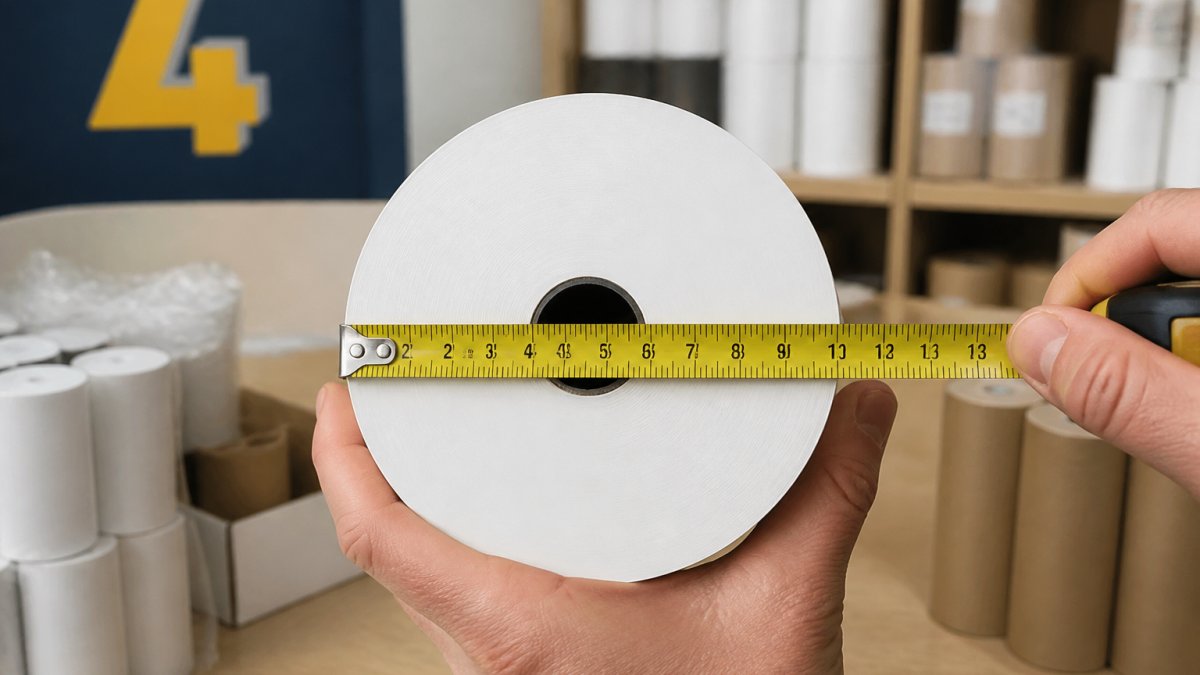
- Measure through the centre. The widest point of a circle always passes through its centre. Lay your tool across the face so the line crosses the central hole, not off to one side.
- Read at eye level. Crouch or lift the roll so your eye is level with the scale. Reading from above at an angle introduces parallax error, which can shift a reading by a millimetre or more.
- Take three readings. Measure once, rotate the roll roughly 60 degrees, measure again, and repeat a third time. If the three readings agree within about half a millimetre, record the middle value. If they disagree by more than that, the roll is probably out of round or your tool is slipping.
- Record in millimetres. Write the figure down immediately, alongside the width and core size, so the three dimensions stay together.
Choosing the right tool
| Tool | Best for | Watch out for |
|---|---|---|
| Steel ruler | Quick checks on firm rolls | Must pass through the centre; short rulers cannot span larger rolls |
| Tape measure | Rolls wider than the ruler | The hook can rock on the paper edge; keep the blade flat |
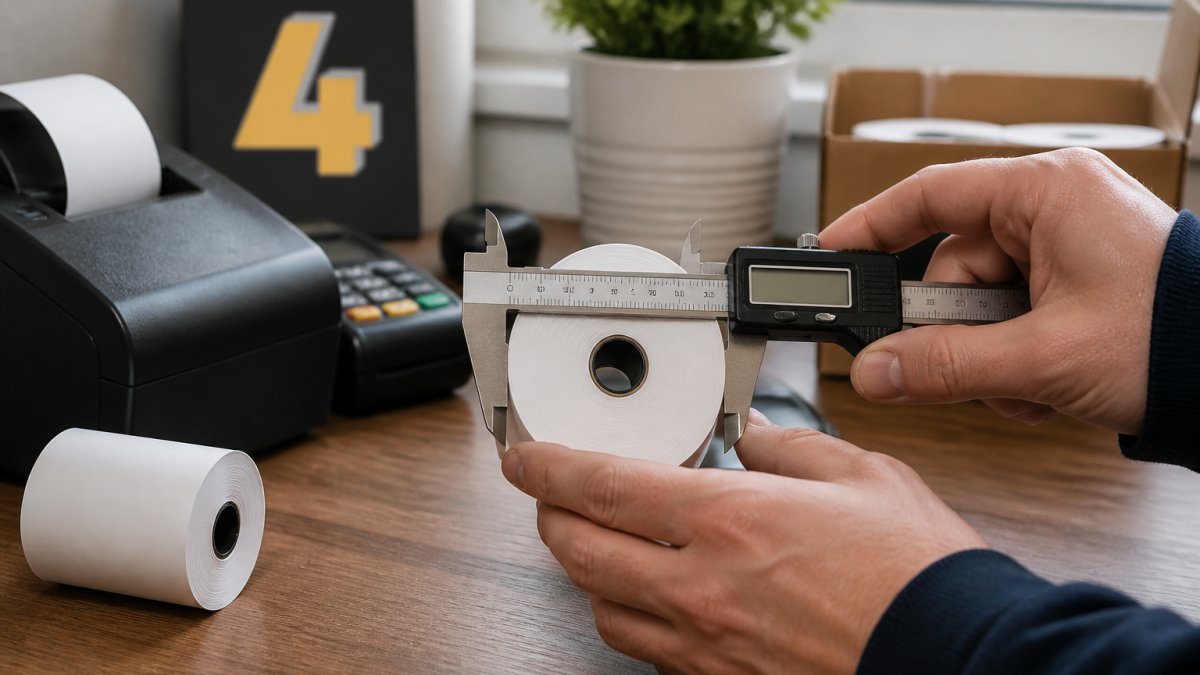
| Vernier or digital caliper | The most precise reading, especially on smaller rolls | Jaws must sit on the outer paper surface, not compress it |
A caliper gives the tightest tolerance because the jaws contact the roll at a defined point. A tape measure is fine for confirming a standard size, but do not rely on it alone if your reading sits between two standard diameters.
Measuring edge to edge without distorting the roll
Position the tool so it touches both outer edges of the paper at the widest point. The blade or ruler should lie flat across the face, not dip into the wound paper or curve around the side.
If the roll has a loose outer tail, tuck it under the preceding layer rather than measuring over the flap. A tail standing proud of the surface can add a millimetre or two to your reading.
Worked example and measurement record
Suppose you measure a roll three times and get 39.8 mm, 40.1 mm and 40.0 mm. The readings agree within half a millimetre, so record 40 mm. Combine that with a width of 57 mm and a core of 12 mm and your record reads:
57 mm × 40 mm × 12 mm (width × outer diameter × core)
Keep a simple log for each machine: machine model, width, outer diameter, core diameter, date measured, and the size you ordered. When a roll arrives, measure one from the pack and compare it with the log before opening the rest. This catches a picking error before it reaches the till.
How to Measure Receipt Roll Core Size
Measuring the central hole diameter
The core diameter is measured the same way as the outer diameter. Place your tape measure across the hole in the centre of the roll. Measure from the inner edge on one side to the inner edge on the opposite side.
Most cores measure 12 or 17 millimetres. This tells you which core size your printer expects.
Why core diameter affects fit
Your printer has a spindle that holds the roll in place. If the core is too small, the roll spins freely and won't feed paper properly. If it's too large, the roll won't slide onto the spindle at all.
Getting the core size right is as important as getting the outer diameter correct. Both measurements together ensure the roll fits, stays secure, and feeds smoothly through your machine.
Checking Printer or Cash Register Compatibility
Consulting your machine manual
Your printer or cash register manual lists the exact roll specifications it accepts. Find the manual and look for "roll specifications", "paper size", or "media requirements". The manual will state the width, outer diameter, and core diameter your machine needs.
If you've lost the manual, contact the printer manufacturer with your machine model number. Most suppliers can provide specifications quickly. This is the most reliable way to confirm compatibility.
Testing fit in the printer lid or compartment
Before ordering in bulk, test one roll in your machine. Open the printer lid or access the roll compartment. Slide the roll onto the spindle and close the lid gently.
The roll should sit snugly without forcing. It should spin freely when you turn it by hand. Paper should feed smoothly when you run a test receipt. If anything feels tight, doesn't turn, or jams, the dimensions are wrong.
How to Choose the Right Till Roll for Your Machine
Matching dimensions to standard sizes
Once you have your measurements, match them to standard sizes. The most common till roll sizes are:
- 44 × 40 millimetres (small format)
- 57 × 40 millimetres (standard receipt roll)
- 57 × 50 millimetres (longer roll)
Your measurements should match one of these closely. If your outer diameter is 40 millimetres, order a roll with 40-millimetre diameter. If it's 41 or 42 millimetres, round down to 40 millimetres.
Selecting thermal receipt paper thickness
Thermal paper thickness affects how the roll feels and how long it lasts. Thicker paper is more durable. Thinner paper is more economical.
If cost is your priority and receipts are discarded quickly, standard thickness works fine.
Common Measurement Errors and Troubleshooting
The errors that produce wrong readings
Most inaccurate till roll measurements come from a small set of repeatable mistakes:
- A tilted ruler or tape. If the tool does not pass through the centre, you are measuring a chord, not a diameter, and the reading will always be short. Re-position so the line crosses the central hole.
- An oval or damaged roll. A roll that has been crushed, stored on its side under weight, or dropped will not be circular. Measure across the widest and narrowest points; if they differ by more than about a millimetre, treat the roll as damaged and measure a fresh one.
- Loose winding. A roll that has unspooled slightly has air gaps between layers, inflating the outer diameter. Wind the loose paper back gently and re-measure.
When the diameter falls between standard sizes
A reading of 45 mm, for example, does not match a standard 40 mm or 50 mm roll. Rounding down to 40 mm usually fits but leaves more movement in the compartment; rounding up to 50 mm may be tight or prevent the lid closing. Test one roll of each size in the machine before ordering in bulk. Most printers tolerate a small variation, but the lid closure and feed are the deciding factors.
Measuring without the original roll
If the sample roll is missing or damaged, work from the machine instead:
- Read the machine label. Many printers and cash registers carry a sticker inside the lid or on the base stating the accepted roll size.
- Check the manual. Look for 'roll specifications', 'media' or 'paper size'. The manual states width, maximum outer diameter and core diameter.
- Measure the spindle. The spindle diameter gives you the core size directly. Measure the compartment opening to estimate the maximum outer diameter the lid will accept.
- Measure the feed slot. The paper slot width indicates the maximum paper width.
- Contact the manufacturer with the model number if the label and manual are unavailable. This is more reliable than estimating from the machine's appearance.
A quick pre-order check
Before ordering, confirm three things: the width matches the feed slot, the outer diameter fits the compartment with the lid closed, and the core slides onto the spindle without play. If all three pass on a single test roll, the size is correct for that machine.
Frequently Asked Questions
What is the easiest way to measure till roll diameter?
The easiest method is to place the roll flat on a table and use a tape measure or ruler to measure straight across from one edge to the opposite edge, passing through the centre. Make sure the tape is taut and level. Record the measurement in millimetres. This direct measurement gives you the outer diameter needed to check compatibility with your thermal printer or cash register.
What are the standard till roll sizes, and how do they relate to paper width?
Common till roll sizes include 44 mm, 57 mm, 76 mm, and 80 mm widths, with outer diameters typically ranging from 40 mm to 80 mm depending on paper length. The width × diameter notation (for example, 57 × 40 mm) tells you both the paper width and the roll's outer diameter. Core sizes are usually 12 mm or 17 mm. Always verify your machine's manual to confirm which dimensions your printer or cash register accepts.
How do I know if a till roll will fit my receipt printer?
Consult your machine manual first, as it specifies the maximum outer diameter and core size your printer accepts. Then measure your till roll's outer diameter and core diameter using a ruler or tape measure. Test the fit by gently inserting the roll into the printer lid or compartment, it should fit snugly without forcing. If the diameter is too large, choose a smaller-diameter roll; if the core is wrong, the roll won't seat properly on the spindle.
What should I do if my roll's diameter falls between standard sizes?
If you are uncertain, contact your printer manufacturer or consult your machine manual for guidance on maximum acceptable diameter. When ordering, always verify the exact dimensions with your supplier before placing an order.