 ultimate-guide
Thermal Printer Paper Size Guide: 2026
Table of Contents
- Standard Thermal Printer Paper Sizes and Their Applications
- 57mm vs 80mm Thermal Paper: Which Roll Width Do You Need?
- Understanding Thermal Paper Roll Core Size and Outer Diameter
- How to Measure Till Roll Diameter Accurately
- GSM, Paper Thickness, and Thermal Coating: What the Specs Mean
- Configuring Your Printer Driver for the Correct Paper Size
- Best Practices for Storing Thermal Paper
- Conclusion
Last Updated: August 21, 2026
Choosing the wrong thermal printer paper size is an expensive mistake. A roll that's even a few millimetres too wide won't feed correctly, a core that's too narrow will rattle in the spindle, and light paper weight produces faded receipts. At Shop4Rolls.ie, we supply Ireland's largest range of till rolls and card machine receipt rolls. This thermal printer paper size guide answers the most common question: "how do I know I'm ordering the right size?" It covers standard roll widths, core dimensions, paper weight, and printer driver configuration.
Standard Thermal Printer Paper Sizes and Their Applications
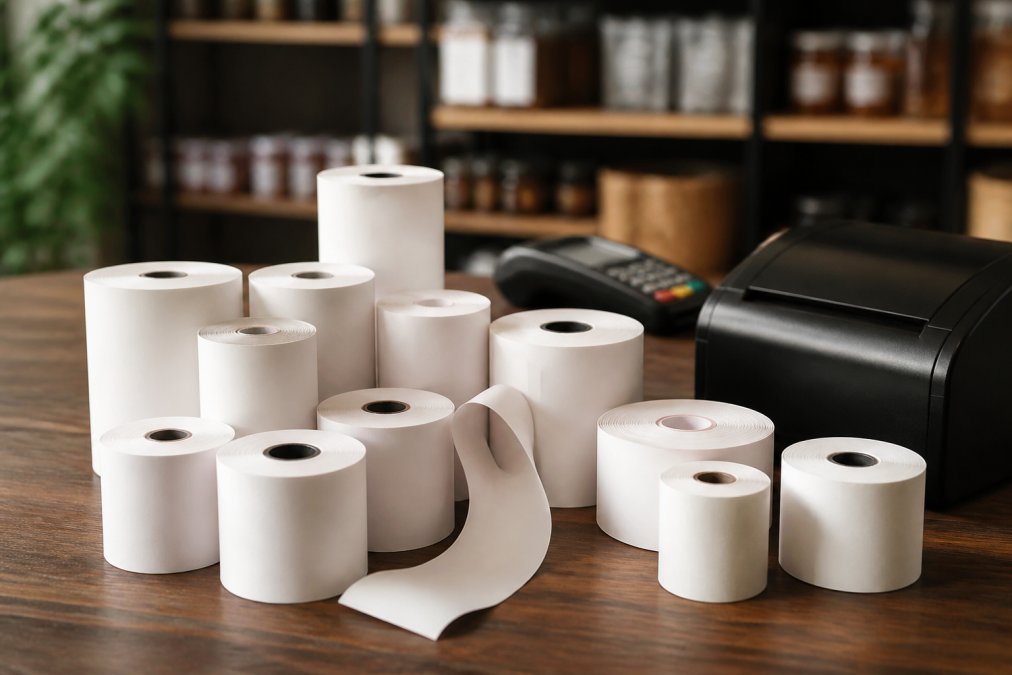
Thermal receipt paper rolls are defined by three dimensions: width, outer diameter, and core diameter. The most common widths in commercial use are 57mm, 80mm, and 112mm.
| Roll Width | Common Application | Typical Outer Diameter | Typical Core Size |
|---|---|---|---|
| 57mm | Card machines, compact POS | 40mm-55mm | 12mm or 17mm |
| 80mm | Countertop POS, kitchen printers | 60mm-80mm | 12mm or 17mm |
| 112mm | Label printers, logistics | 100mm-150mm | 25mm or 38mm |
Getting the width right is the starting point. Getting the diameter and core right stops the roll from jamming or running out mid-service.
57mm Rolls: Card Machines and Compact POS Systems
The 57mm roll is the standard for handheld card terminals and compact point-of-sale systems. A common mistake is assuming all 57mm rolls are interchangeable. The outer diameter determines how many metres of paper you get per roll, and a fatter roll won't fit in a machine with a shallow paper compartment. Most card machines accept a maximum outer diameter of 40mm to 55mm.
The 57mm format is also where thermal coating quality matters most. Card terminal receipts are handled frequently, and low-quality thermal coating fades within weeks.
80mm Rolls: Countertop POS Printers and Kitchen Printers
The 80mm roll is the workhorse of retail and hospitality. The vast majority of countertop POS receipt printers, kitchen order printers, and standalone receipt printers use an 80mm roll. Kitchen printers operate in high-humidity, high-temperature environments where standard thermal paper degrades faster. A top-coated thermal roll resists moisture and heat that would otherwise cause premature fading.
The 80mm format offers the widest variation in roll length. A standard 80mm roll might contain anywhere from 50 to 80 metres of paper depending on paper thickness.
112mm Rolls: Label Printers and Logistics Applications
The 112mm format is essential in warehousing, logistics, and operations that print shipping labels or large-format barcodes. Label printers require calibration to detect the gap between labels or the black mark on backing paper. Using the wrong media type or skipping calibration after a roll change produces misaligned labels that scanners won't read.
For logistics applications, the thermal coating specification is critical. Labels passing through cold-chain environments or handled roughly in transit need a more durable coating than standard receipt rolls provide.
57mm vs 80mm Thermal Paper: Which Roll Width Do You Need?
The choice between 57mm and 80mm thermal paper comes down to your device, not your preference.
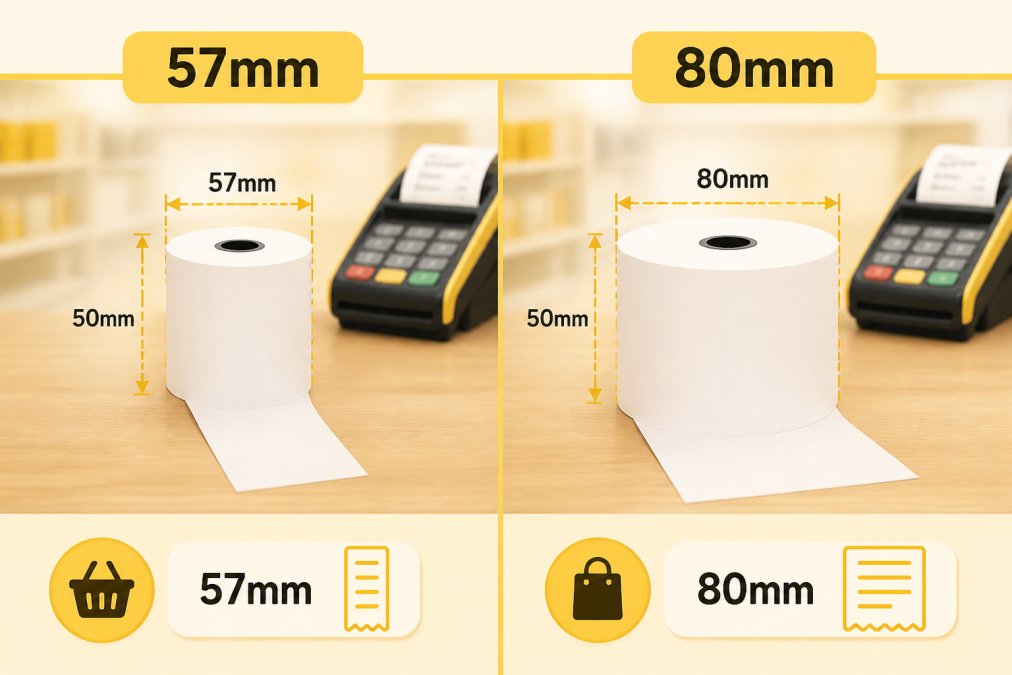
If the device is a card payment terminal, it almost certainly takes 57mm. If it's a dedicated receipt printer connected to a POS system, it almost certainly takes 80mm. Check the manufacturer's specification sheet rather than guessing.
A roll that is even 1mm to 2mm narrower than the printer's paper path will skew as it feeds, producing diagonal prints and frequent paper jams. A roll labelled 80mm should measure 79.5mm to 80.5mm in practice.
Understanding Thermal Paper Roll Core Size and Outer Diameter
Thermal paper roll core size is the internal diameter of the cardboard tube at the centre of the roll. The two most common core sizes are 12mm and 17mm for receipt rolls, and 25mm or 38mm for larger label rolls.
A roll with a 17mm core on a 12mm spindle will wobble and feed unevenly. A roll with a 12mm core forced onto a 17mm spindle may split the core entirely.
Outer diameter determines whether the roll physically fits in the paper compartment and how much paper you get per roll. A thicker paper stock produces a larger outer diameter for the same length of paper. Many POS printers specify a maximum outer diameter in their documentation. The most common maximum for countertop 80mm printers is around 80mm outer diameter.
According to Zebra Technologies' thermal printing technical documentation, roll geometry tolerances directly affect print quality and feed reliability in high-volume environments.
How to Measure Till Roll Diameter Accurately
Measuring till roll diameter accurately takes less than two minutes and eliminates guesswork from reordering.
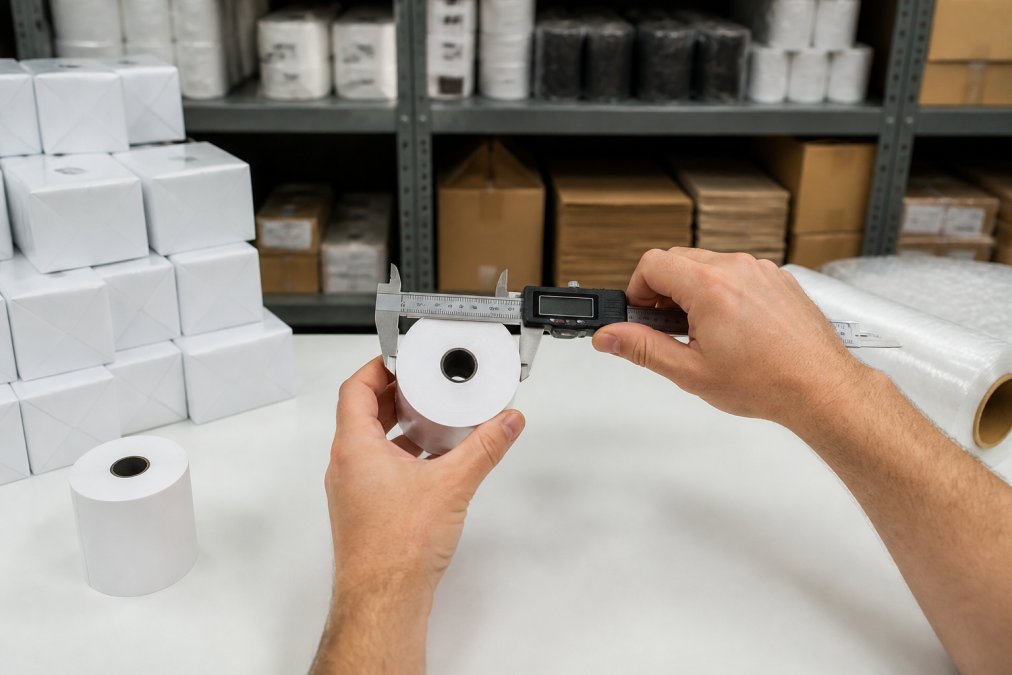
You need three measurements: roll width, outer diameter, and core diameter.
- Roll width: Measure across the flat end of the roll with a ruler or calliper.
- Outer diameter: Stand the roll upright and measure across its widest point.
- Core diameter: Measure the inside of the cardboard tube.
A digital calliper gives the most accurate readings and costs very little. Keep a record of the make and model of every printer alongside its roll specifications.
GSM, Paper Thickness, and Thermal Coating: What the Specs Mean
GSM stands for grams per square metre and is the standard measure of paper weight. For thermal receipt paper, GSM affects roll length per given outer diameter, print quality, and durability.
Lighter paper, typically 48-55 GSM, produces longer rolls at a given outer diameter, meaning fewer roll changes per day. Heavier paper, 60-80 GSM, is more durable, less prone to tearing during high-speed printing, and generally produces sharper print quality.
The thermal coating is a heat-sensitive chemical layer applied to one side of the paper. When the print head applies heat, the coating darkens to form text and barcodes. Quality coating determines how long the print remains legible. A poor-quality coating fades within weeks; a good one remains readable for years.
Top-coated thermal paper adds a protective layer over the thermal coating, providing resistance to moisture, oils, and UV light. This matters in hospitality environments where receipts get handled with wet or greasy hands.
Bisphenol A was widely used as a colour developer in thermal coatings, but many manufacturers have moved to BPA-free formulations. As noted in [EXTERNAL_LINK: the European Chemicals Agency's regulatory guidance on BPA in thermal paper | euon.echa.europa.eu], BPA-free alternatives are now the standard for most commercial applications.
Thermal Paper vs Standard Printer Paper
Thermal paper and standard printer paper are fundamentally different products and cannot be used interchangeably. Standard printer paper has no heat-sensitive coating and will produce a blank output in a direct thermal printer. Thermal paper will jam and potentially damage an inkjet or laser printer.
Thermal paper is reactive to heat, light, and certain chemicals. A thermal receipt left on a car dashboard in summer will turn entirely black. A receipt stored in a plastic bag with certain plasticisers will fade rapidly.
Configuring Your Printer Driver for the Correct Paper Size
Most thermal receipt printers work correctly with standard roll sizes out of the box, but manual configuration is necessary for custom paper widths, label media with non-standard gaps, or replacing a printer where driver settings were configured for a different roll.
The general process for configuring paper size in a thermal printer driver:
- Open the printer properties from your operating system's printer settings.
- Locate the "Paper Size" or "Media Size" tab within the driver settings.
- Select the preset that matches your roll width, or create a custom size by entering the width in millimetres.
- Set the page length. For continuous receipt rolls, this is typically set to "auto-cut" or a fixed length depending on your POS software.
- Save the settings and print a test page.
- If the output is misaligned, run the printer's calibration routine, usually accessible via a button combination on the device itself.
For label printers, calibration is a separate step from driver configuration. The printer needs to physically detect the label gap or black mark by feeding a short length of media.
As documented in [EXTERNAL_LINK: Seiko Epson's technical reference for POS printer configuration | epson.com], incorrect paper size settings are among the most common causes of receipt formatting errors in POS deployments.
Best Practices for Storing Thermal Paper
Thermal paper is more sensitive to its storage environment than most people realise. Poor storage is one of the most common causes of print quality problems.
- Keep it cool and dry. Store rolls below 25°C and away from humidity.
- Avoid direct light. UV exposure causes thermal paper to darken over time. Keep rolls in their original packaging until needed.
- Store flat or upright, not stacked on the thermal side. Pressure on the coated surface can cause ghost images.
- Keep away from plasticisers. Certain plastics contain chemicals that react with thermal coatings and cause fading. Use paper-based packaging for long-term storage.
- Rotate stock. Use older rolls first. Most quality thermal paper has a shelf life of two to five years from manufacture under correct storage conditions.
For businesses ordering in bulk, these storage conditions are worth factoring into how much stock you hold at any one time.
According to [EXTERNAL_LINK: the National Standards Authority of Ireland's guidance on consumables storage | nsai.ie], maintaining appropriate environmental conditions for consumable stock is a basic requirement of good stock management practice.
Shop4Rolls.ie stocks a comprehensive range of thermal paper rolls across all standard sizes, with consistent quality and reliable availability. Whether you're ordering 57mm card machine rolls for a single terminal or 80mm rolls in bulk for a multi-site retail operation, the product range covers the full specification spread. The customer care team can help verify the right size for your specific device before you order.
Ordering the wrong thermal receipt paper compounds quickly: jammed printers, wasted stock, and interrupted service. The specifications covered in this guide give you everything you need to order with confidence and store correctly. Shop4Rolls.ie offers Ireland's largest range of till rolls and card machine receipt rolls, with a lowest price guarantee and reliable stock availability. Visit Shop4Rolls.ie to find the right roll for your printer, or get in touch with the customer care team for a compatibility check before you place your first order.
Frequently Asked Questions
How do I know what size thermal paper my printer needs?
Check your printer's manual or the inside of the paper compartment lid, most manufacturers print the required roll width (typically 57mm or 80mm), maximum outer diameter, and core size there. If you no longer have the manual, measure the compartment width with a ruler and match it to the nearest standard size. Your printer's model number can also be searched against the specifications on the manufacturer's website or the product listings on Shop4Rolls.ie to confirm compatibility before you order.
What is the difference between 57mm and 80mm thermal rolls?
The numbers refer to roll width. A 57mm roll is the standard size for card machines, mobile POS terminals, and compact receipt printers. An 80mm roll is wider and used in countertop POS printers, kitchen order printers, and systems where a longer receipt line is needed. Using the wrong width causes paper jams, misaligned printing, or the roll simply not fitting the compartment. Always confirm your printer's required width before ordering in bulk.
How do I measure the diameter of a till roll accurately?
Place the roll on a flat surface and use a ruler or digital calliper to measure straight across the widest point of the roll, that is the outer diameter. For the core, measure the hollow centre from one inner wall to the other. Most receipt rolls have a 12mm or 25mm core. Compare both measurements against your printer's maximum outer diameter and core size specifications. Ordering a roll with an outer diameter larger than the compartment allows will cause it to jam or not fit at all.
Does thermal paper size affect print quality?
Width and thickness both influence the result. A roll that is slightly narrower than the print head's rated width can produce faint edges or missing characters. Paper that is too thin (low GSM) may feed unevenly, causing smearing or skipped lines. A roll that matches your printer's specified width, core size, and GSM range will produce clean, consistent receipts and reduce print head wear over time. BPA-free, top-coated thermal paper also tends to hold print longer before fading.
Are all thermal paper rolls compatible with every POS printer?
No. Each direct thermal printer has a fixed print head width, a maximum roll outer diameter, and a required core size. A 57mm roll will not print correctly in a printer designed for 80mm media, and a roll with a 25mm core will not seat properly in a printer built for a 12mm core. Always cross-reference roll width, outer diameter, and core diameter against your printer's specifications. Shop4Rolls.ie lists compatible printer models on product pages to help you order the correct receipt roll first time.
What is the standard core size for thermal receipt rolls?
The two most common core diameters are 12mm and 25mm. Card machine rolls and compact receipt printers almost always use a 12mm core. Larger countertop POS printers and label printers more commonly accept a 25mm core. Some industrial label printers use a 38mm or 76mm core. Check your printer's paper compartment or specifications sheet, fitting the wrong core size prevents the roll from spinning freely, which causes paper jams and uneven paper feed.
This article was written using GrandRanker