 how-to
How to Find the Correct Till Roll Size
Table of Contents
- Why Getting the Correct Till Roll Size Matters
- How to Measure Till Roll Diameter
- Till Roll Core Size Explained
- Thermal vs Bond Paper Identification
- Finding Your Printer Model and Compatibility
- Common Till Roll Sizes and What They Fit
- Avoiding Mistakes: What to Check Before Ordering
- Conclusion
Last Updated: August 30, 2026
Why Getting the Correct Till Roll Size Matters
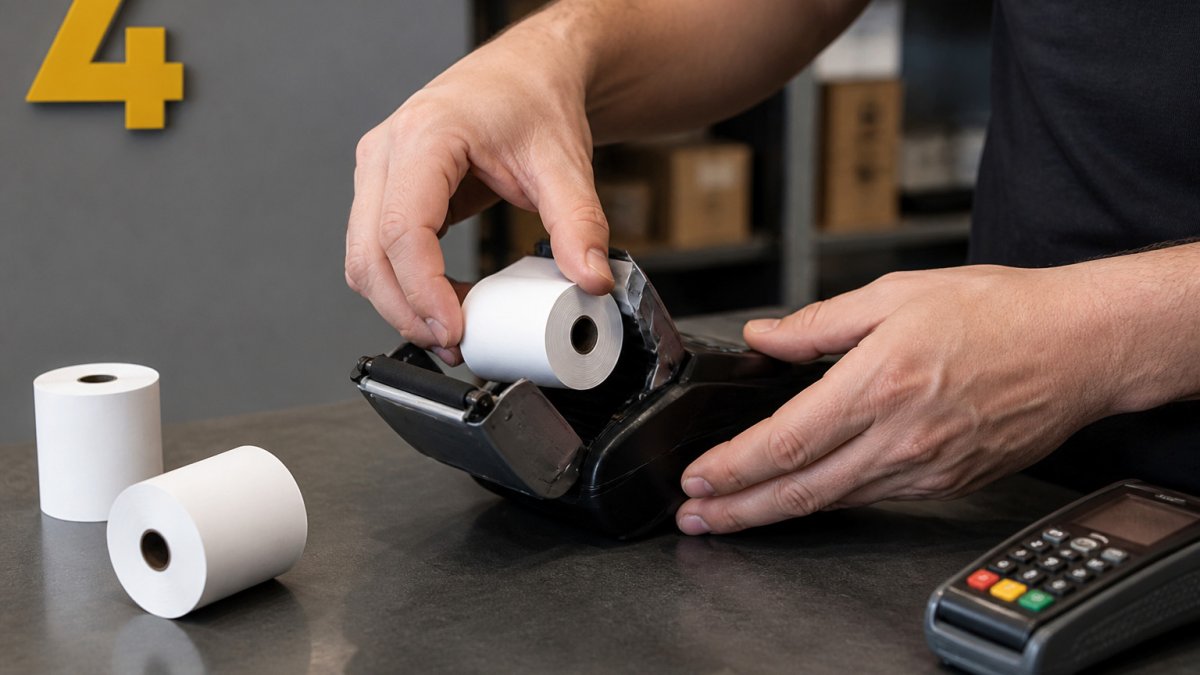
Ordering the wrong till roll size costs money, disrupts workflow, and leaves you scrambling when your till runs out mid-shift. A till roll that doesn't fit your printer won't feed properly, it either jams or falls out during use, grinding checkout to a halt. For cafés, restaurants, or retail shops, that's lost transaction time and frustrated customers. The correct till roll size is the difference between smooth operations and preventable downtime.
Most retailers discover they've ordered the wrong size only after stocking up. The answer is usually simple: they measured wrong, checked the wrong printer model, or confused similar dimensions. This guide walks you through exactly what to check so you never order incorrectly again.
The three measurements that matter are outer diameter, inner core size, and paper width. You'll also need to know whether your printer uses thermal or bond paper. Once you have those four pieces of information, finding your correct till roll size takes five minutes.
How to Measure Till Roll Diameter
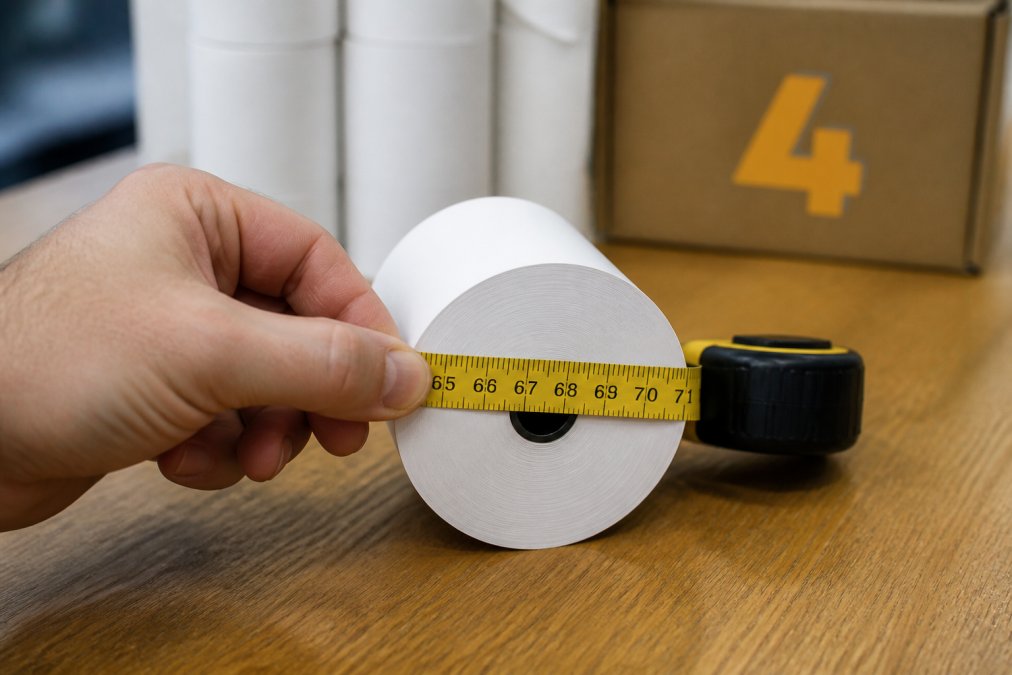
The outer diameter is the measurement across the entire roll from edge to edge. This is the most critical dimension because it determines whether the roll physically fits inside your printer's paper feed mechanism.
What You'll Need to Measure
You'll need a measuring tape or ruler (a cloth measuring tape works better than a rigid ruler). A calliper is ideal if you have one. Make sure whatever you use measures in millimetres, as till rolls are always specified in mm. A notepad to write down the measurement immediately is helpful, printer specifications use precise numbers, and guessing "about 80mm" when it could be 76mm or 82mm will lead you to the wrong product.
Step-by-Step Measurement Process
Step 1: Remove the roll from the printer. Take the till roll out of your machine and place it on a flat surface. Don't measure it while installed, you won't get an accurate reading.
Step 2: Measure straight across the widest point. Wrap your measuring tape around the roll horizontally, going through the exact centre. The measurement from one edge to the opposite edge is your outer diameter. Write this number down immediately.
Step 3: Verify the measurement twice. Measure again from a slightly different angle. If you get the same number both times, you've got it right.
Step 4: Check the paper width separately. Note the width of the paper itself (the distance from one long edge to the other). This is usually 80mm for standard till rolls, but some printers use 58mm or 76mm.
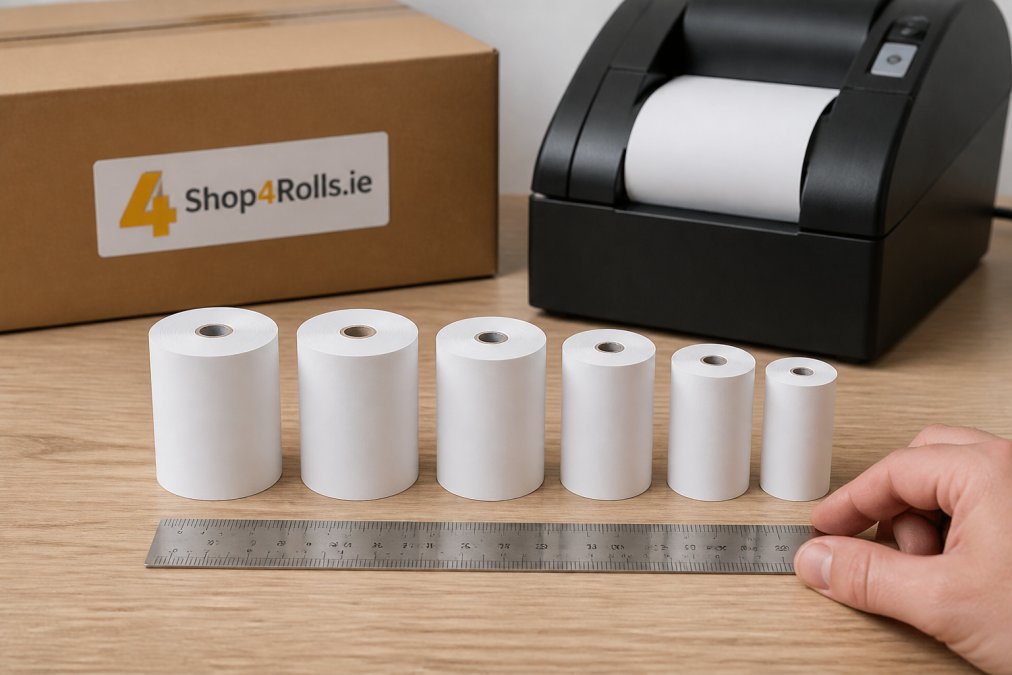
Common till roll diameters are 76mm, 80mm, and 100mm. Most modern cash registers and card machine receipt printers use either 80mm or 76mm. If your measurement doesn't match one of these standard sizes, double-check your measurement, you're almost certainly looking at one of these three.
Till Roll Core Size Explained
The inner core (also called the spindle hole) is the hollow centre of the roll where it sits on the printer's feed pin. This measurement determines whether the roll will stay on the machine while printing. A core that's too large will spin freely without feeding paper. A core that's too small won't fit on the pin at all.
Core size is measured as the inner diameter of that hollow centre. Standard core sizes are 12mm and 17.5mm, with 12mm being the most common in modern thermal receipt printers. Some older machines use 25mm cores.
To measure the core, insert a calliper gently into the centre hole and measure the diameter. If you don't have a calliper, estimate by comparing the hole size to common objects: a 12mm core is roughly the width of a standard pencil, while a 17.5mm core is closer to the width of a marker pen.
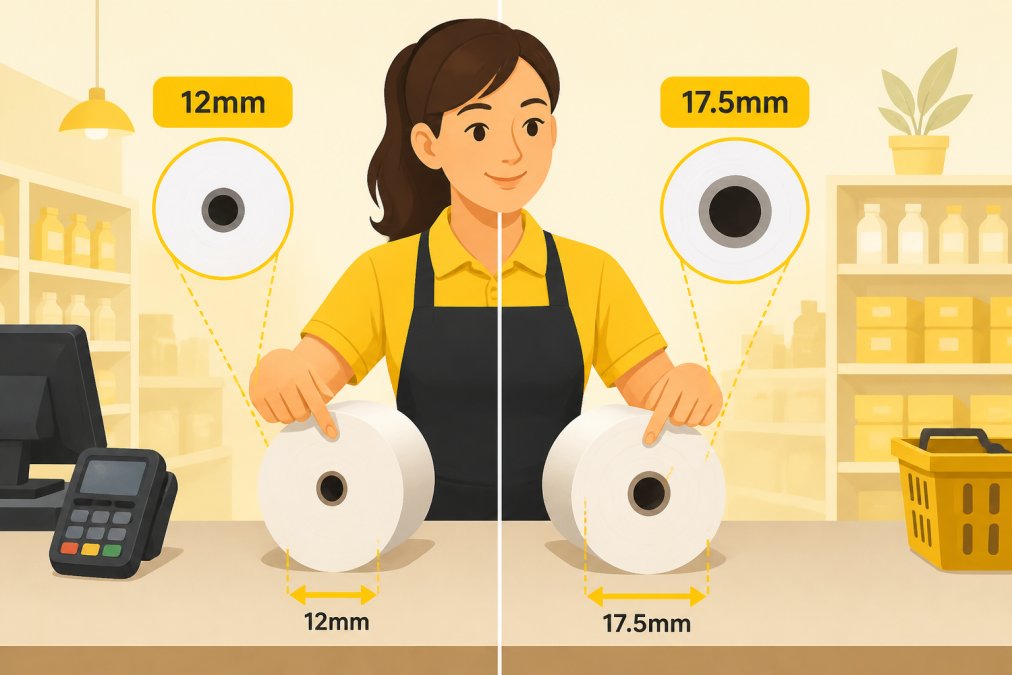
The core size is less likely to be your problem than the outer diameter, but it's still worth confirming. If you order a roll with the right outer diameter but the wrong core size, it won't feed properly.
Thermal vs Bond Paper Identification
Your printer uses either thermal paper or bond paper (also called plain paper or wood-free paper), and you need to order the correct type. Thermal paper has a special coating that reacts to heat, while bond paper requires an ink cartridge or ribbon to print.
Thermal paper is the standard for till rolls, receipt printers, and card machine receipts. It's coated with a chemical layer that darkens when exposed to heat from the printer's print head. Thermal receipts are crisp, clear, and don't smudge easily. If you run your fingernail across thermal paper firmly, it will leave a dark mark, the heat from friction activates the coating.
Bond paper (plain paper) is used in older dot-matrix printers and some industrial receipt systems. It looks and feels like regular office paper with no special coating. It requires ink or a ribbon to print.
To identify which type you need, check your printer's documentation or look at a receipt you've already printed. If the receipt is dark and crisp with no visible ink, you're using thermal paper. If you can see tiny dots or lines where the printer struck the paper, you're using bond paper.
Most till rolls sold today are thermal paper. If you're setting up a new system or replacing an old printer, thermal is almost certainly what you need.
Finding Your Printer Model and Compatibility
The fastest way to get the right till roll size is to find your exact printer model and match it to the manufacturer's specifications.
Locating Your Printer's Documentation
Your printer model number is usually printed on a sticker on the back or bottom of the machine. Write this model number down exactly as it appears. Once you have it, search the manufacturer's website for the user manual or technical specifications. Most manufacturers (Epson, Star Micronics, Ingenico, Verifone) publish PDFs with full specifications, including the recommended till roll size.
If you can't find the manual online, contact the manufacturer's support team with your model number. Many manufacturers have support chat on their websites, which is faster than phone calls.
Checking the Original Packaging
If you still have the original packaging from your printer, the till roll specifications are almost always printed on the box or in the quick-start guide. Look for a section titled "Consumables" or "Paper Specifications". If you've lost the original packaging, check whether the printer itself has a label on the inside of the paper compartment.
The original receipt roll that came with your printer is also a reference. Check its packaging or the roll itself for printed dimensions.
Common Till Roll Sizes and What They Fit
Most retail environments in Ireland use one of three standard till roll sizes.
80mm x 80mm rolls are the most common. They fit modern thermal receipt printers, card machine readers (Ingenico, Verifone, and similar), and most point-of-sale systems installed in the last 10 years. If you're running a café, shop, or restaurant with a relatively new till system, you almost certainly need 80mm rolls.
76mm x 76mm rolls are used in some compact receipt printers and older POS systems. They're slightly narrower than 80mm rolls but still hold a good amount of paper. Check your printer's documentation to be sure.
100mm x 100mm rolls are larger and used in industrial-grade receipt printers, kitchen order printers in restaurants, and some older thermal systems. They hold significantly more paper, so you don't need to change rolls as often.
When you order from Shop4Rolls.ie, we stock all three sizes in both thermal and bond paper. The product pages clearly specify the outer diameter, paper width, and core size so you can match them to your printer's requirements. If you're unsure which size you need, our customer care team can help you identify the right product based on your printer model.
Avoiding Mistakes: What to Check Before Ordering
Before you click "add to basket", verify five things to make sure you're ordering the correct till roll size.
First, confirm the outer diameter. Write down the measurement you took (or the size from your printer's manual), and match it exactly to the product specification. Don't round up or down, 76mm and 80mm are different sizes and won't work interchangeably.
Second, check the paper width. Till rolls are usually 80mm wide, but some printers use 58mm or 76mm paper. If you order 80mm x 80mm when your printer needs 80mm x 58mm, the paper will be too wide and jam.
Third, verify the core size. Most modern printers use 12mm cores, but check your printer's manual to be sure.
Fourth, confirm the paper type. Check whether you need thermal or bond paper. If you order the wrong type, it won't print at all.
Fifth, check the quantity. A typical small retail operation uses 2-4 rolls per day, so order accordingly. Shop4Rolls.ie offers flexible ordering, so you can restock as often as you need without committing to large quantities.
If you're ordering from Shop4Rolls.ie and you're not 100% sure which size you need, use the chat or phone support before you order. Our customer care team can confirm the correct size based on your printer model, and we'll make sure your order arrives with the right product the first time.
Getting the correct till roll size comes down to three measurements: outer diameter, core size, and paper width. Measure carefully, check your printer's documentation, and verify the product specifications before you order. If you're ever unsure, Shop4Rolls.ie's customer care team is here to help. We stock Ireland's largest range of till rolls and receipt paper, and we can confirm the right size for your specific printer model. Sign up now and get started with reliable, hassle-free restocking at competitive wholesale prices.
Frequently Asked Questions
What is the standard size of a till roll?
There is no single standard till roll size. Common widths range from 57 mm to 80 mm, with outer diameters typically between 40 mm and 50 mm. The correct size depends entirely on your specific printer model and POS system. Always check your printer's manual or the original packaging to confirm the exact dimensions your machine requires before ordering.
How do I know if my printer uses thermal or bond paper?
Check your printer's documentation or original packaging first. Thermal paper is coated and heat-sensitive, producing images without ink or ribbons, and feels slightly waxy. Bond paper (plain paper) requires an ink ribbon and is standard office paper. If you're unsure, contact your printer manufacturer with your model number, or test by gently scratching the paper surface of a sample roll, thermal paper will show a dark mark.
Does the core size of a till roll matter?
Yes. Till roll core size directly affects whether the roll will fit into your printer's paper feed mechanism. Standard core sizes are 12 mm and 17 mm inner diameter. Using the wrong core size can prevent the roll from loading properly or cause paper feed errors. Always verify your printer's core size requirement before ordering.
What happens if I order the wrong till roll size?
Ordering the wrong size can result in the roll not fitting into your printer, paper jams, misalignment during printing, or the roll falling out during use. This disrupts your point-of-sale operations when you need receipts most. Always double-check your measurements and printer compatibility before placing an order to avoid delays and wasted stock.
This article was written using GrandRanker