 how-to
How to Store Thermal Receipt Paper: A 2026 Guide
Table of Contents
- Why Thermal Receipt Paper Fades
- How to Prevent Thermal Receipts from Fading
- Thermal Paper Shelf Life: What to Expect
- How to Measure Till Roll Diameter Accurately
- Filing and Organising Receipts for Short-Term Storage
- Long-Term Archival: What Actually Works
- Digital-First Backup: Scanning and Cloud Storage
- Frequently Asked Questions
Last Updated: September 11, 2026
Why Thermal Receipt Paper Fades
Thermal receipt paper fades because its printed image is not ink, it is a chemical reaction that keeps running after printing. To know how to store thermal receipt paper properly, you must understand what you are fighting.
The mechanism: thermal paper is a base sheet coated with a leuco dye and a developer, held apart by a binder until heat melts them together and the dye develops into dark text. No ink, no toner, no ribbon, just chemistry in a metastable state.
The excuses are everywhere in a working shop:
- Heat, from radiators, sunny windowsills, and the thermal printer itself
- UV light, which attacks the coating directly
- Moisture, which softens the binder and speeds up oxidation
- Plasticizers, found in PVC sleeves, cling film, and some adhesives
- Friction, from paper rubbing against paper in a till drawer
Fading runs at three speeds: light and heat fade a receipt fast, chemical contact can fade it in days, and ambient humidity does it slowly over months in the dark. That distinction tells you which fix to prioritise.
The most common storage mistake we see is a box of rolls on a windowsill above a radiator, the only shelf free on delivery day.
How to Prevent Thermal Receipts from Fading
To prevent thermal receipts from fading, keep printed receipts below 25°C, out of direct sunlight, and away from PVC, adhesive tape, and moisture. Unprinted rolls should stay sealed in their original packaging until they go into the printer.
The longer answer splits into two problems people confuse: storing blank rolls and storing printed receipts. Blank rolls are more resilient than most shop owners assume, because the coating has not yet been activated. Once the print head has done its work, the clock starts.
Temperature and Humidity: The Two Biggest Factors
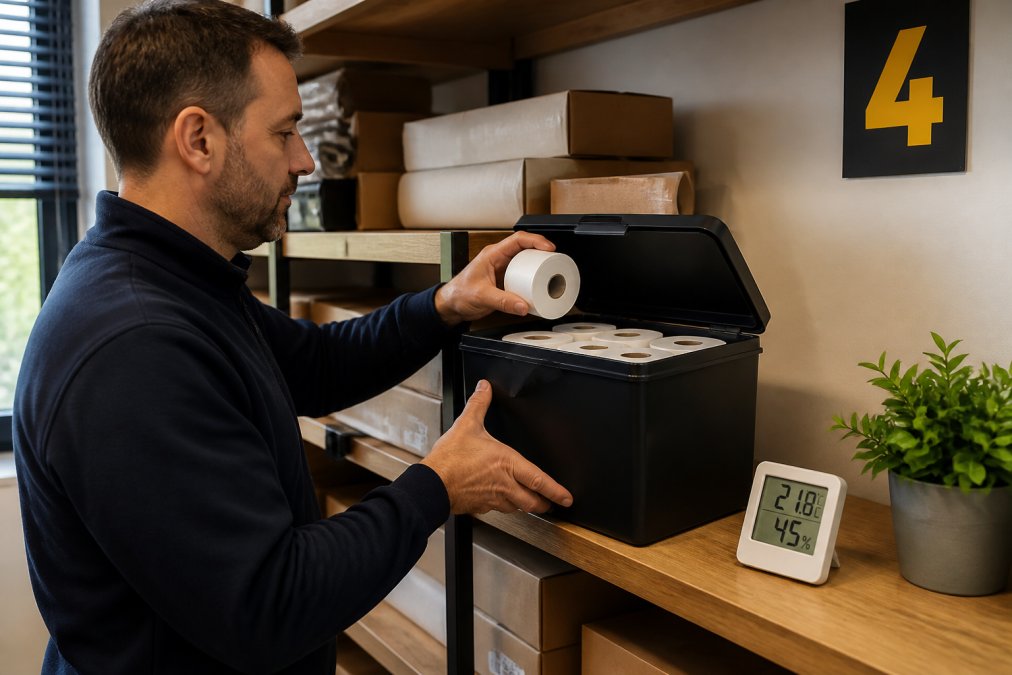
The ideal storage temperature for thermal paper is a stable 15-25°C, with relative humidity between 45% and 65%. Stability matters as much as the numbers: repeated swings between a cold stockroom and a warm shop floor stress the coating more than a steady mid-range environment.
A common mistake is storing rolls in a back office that doubles as a plant room or kitchen. Kitchens are the worst case: high humidity, high heat, and grease in the air. If your only storage space is a kitchen, keep rolls in a sealed container rather than on open shelving.
Light, Chemicals and Contact Materials to Avoid
Direct sunlight and UV light are the fastest ways to destroy a thermal print, and the damage is irreversible. Fluorescent tubes contribute less but still matter over long periods, which is why a receipt under a counter lamp fades faster than one filed in a drawer.
Chemical contact is the factor most people have never heard of. Plasticizers in PVC are the main offender: a thermal receipt in a standard PVC document wallet can become illegible within weeks. The same applies to some adhesive tapes and rubber bands.
Your safe list is short and worth memorising:
- Acid-free paper envelopes and folders
- Polyester (PET) or polypropylene sleeves, not PVC
- Staples rather than tape, where you must attach a receipt to a docket
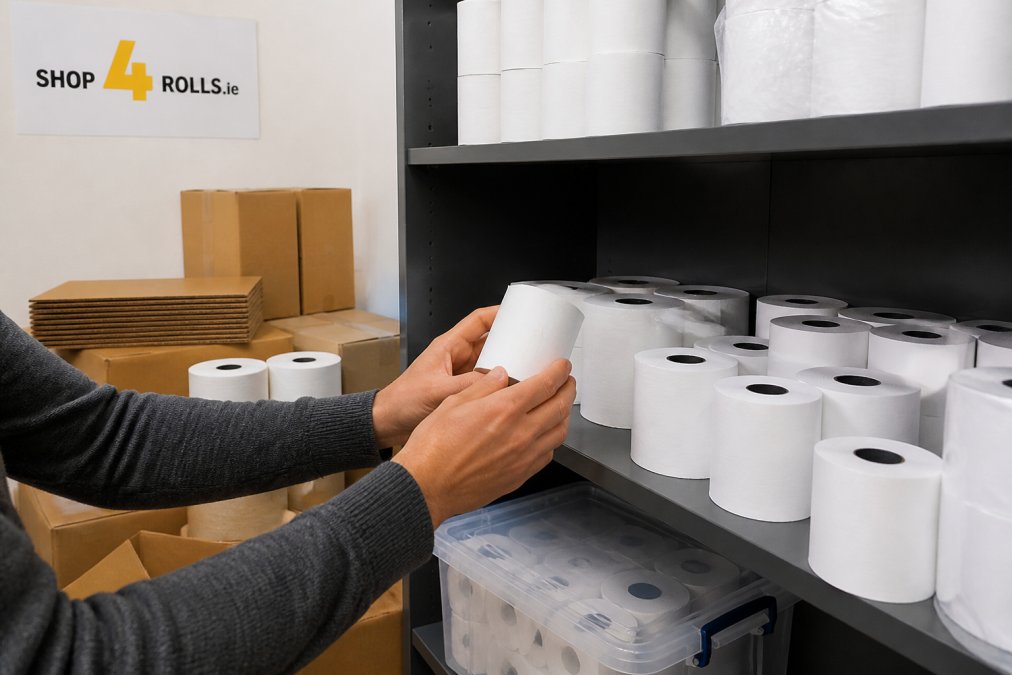
- Cardboard or kraft boxes for bulk storage
The rule is simple: if a material is soft, flexible, and smells faintly of plastic, assume it contains plasticizers until you check.
Thermal Paper Shelf Life: What to Expect
Thermal paper shelf life is typically two to three years for unprinted rolls in good storage conditions, and considerably less for printed receipts exposed to light and heat. There is no single official figure, because lifespan depends on paper grade, coating chemistry, and environment.
Manufacturers grade thermal paper by coating durability. A standard till roll and a premium top-coated roll can look identical and behave completely differently after eighteen months in a warm back office. The three grades you are most likely to encounter are:
- Standard (non-top-coated), cheapest, most common in high-volume till rolls. Fades fastest, most sensitive to plasticizers and moisture.
- Top-coated, a protective layer over the dye/developer coating. Noticeably more resistant to friction, oils from fingers, and light. The default choice where receipts need to survive more than a few months.
- BPA-free / phenol-free, increasingly common following consumer pressure and retailer commitments. Generally comparable to standard grades on fade resistance, but check the manufacturer's data sheet rather than assuming.
Shelf life is set by three variables: paper grade, storage environment, and whether the coating has been activated by printing.
| Storage Condition | Unprinted Rolls | Printed Receipts |
|---|---|---|
| Cool, dark, sealed (15-25°C, 45-65% RH) | 2-3 years | 1-2 years |
| Warm shop floor, indirect light | 12-18 months | 3-6 months |
| Near window or radiator | 3-6 months | Weeks |
| In PVC sleeve or taped | Not applicable | Days to weeks |
| Laminated | Not applicable | Effectively destroyed |
Treat those figures as planning guidance, not guarantees. If a receipt matters, assume the clock is shorter than you think.
How to Test Whether a Roll or Receipt Is Still Good
Two quick checks tell you most of what you need:
- The fingernail test on a blank roll. Scratch the coated surface firmly with a fingernail. A healthy roll develops a dark mark almost immediately. A weak or heat-damaged roll produces a faint or slow mark. This is the same reaction the print head triggers, so it is a direct read on coating viability.
- The contrast check on a printed receipt. Compare the printed text against a receipt you printed this week. If the older one is visibly grey rather than black, the coating is already degrading and the receipt should be scanned now, not filed.
Neither test is precise, but both are free and take seconds. A roll that fails the fingernail test will produce faint print from the moment it goes into the printer, far more expensive than replacing the roll.
What Shortens Shelf Life Fastest
Ranked from most to least damaging, the factors that cut thermal paper life short are:
- Direct sunlight and UV, irreversible, and fast. Days, not months.
- Sustained heat above 30°C, accelerates the same reaction the print head uses, greying the whole sheet.
- Plasticizer contact (PVC), can render a receipt illegible within weeks.
- High humidity, softens the binder and lets the dye migrate.
- Friction and handling, wears the coating physically, on top of any chemical fading.
- Adhesive tape and some rubber bands, direct chemical attack at the contact point.
Four of those six are storage decisions, not printing decisions: shelf life is largely decided before the receipt is ever printed.
How to Measure Till Roll Diameter Accurately
Measuring till roll diameter accurately means measuring the full outside diameter of the wound roll in millimetres, not the core, not the paper width, and not the roll's length. Most ordering errors come from confusing these three dimensions.
Here is the practical method:
- Lay the roll flat on a table so the spiral is facing you.
- Place a ruler or calipers across the widest point of the roll, edge to edge.
- Read the measurement in millimetres. That is your roll diameter.
- Separately measure the paper width (the roll's depth) and the core diameter if your printer specifies one.
- Note the paper type: standard, top-coated, or BPA-free.
Card machine rolls are the usual source of confusion, because different terminals take different widths and diameters. Write the three numbers on a label inside the printer lid, two minutes that prevents a repeat of the wrong-size order.
Filing and Organising Receipts for Short-Term Storage
Short-term storage covers anything you keep for weeks or months: warranty documentation, daily reconciliation, expense claims, and card machine slips awaiting matching. The goal is legibility and retrievability, not permanence.
A workable system for most retail and hospitality businesses:
- Sort receipts daily into categories (sales, expenses, warranty, supplier)
- Store in acid-free folders or polyester sleeves, never PVC wallets
- Keep folders in a closed drawer or cabinet, away from windows
- Label each folder with the month and category
- Keep the drawer below 25°C and away from kitchen heat
- Scan anything you might need beyond three months
The filing cabinet drawer is one of the best storage environments in most buildings: dark, stable, and away from air movement. The mistake is treating the till drawer as a filing system, receipts there get friction, heat from the printer, and constant handling.
Long-Term Archival: What Actually Works
Long-term archival is a different problem from everyday filing, and the point where physical storage stops being reliable. If a document must survive five years or more, thermal paper is the wrong medium regardless of how well you store it.
The reasons are structural, not fixable: thermal coatings oxidise slowly even in ideal conditions, light exposure accumulates, handling causes friction, and no treatment halts the process without destroying the print.
Why the Retention Period Changes the Answer
Most guides treat receipt storage as a single problem. It is not: the right method depends on how long you need the record, and the gap between short-term and long-term retention is where most businesses get caught out.
- Warranty and returns (typically 1-3 years), a drawer, an acid-free folder, and a scan as backup is sufficient. The physical receipt is the primary record; the scan is insurance.
- Expense claims and internal reconciliation (typically 1-2 years), same approach. Scan at the point of receipt and file the paper.
- Tax and accounting records, Revenue expects records to be retained and produced on request, and the practical expectation for most businesses is a retention period measured in years, not months. Thermal paper will not reliably survive that window.
- Legal, insurance, and audit purposes (5 years and beyond), thermal paper is simply the wrong medium. The scan must be the record of truth from day one.
The storage method should be chosen by the retention period, not by convenience. A business keeping receipts for a warranty claim and one keeping them for a tax enquiry need two different systems, and treating them the same is how records get lost.
The Chemical Compatibility Rules That Matter Most
Where long-term storage is unavoidable, for example, where an original signed receipt must be kept alongside the digital copy, the materials around the paper matter as much as the environment.
Never store thermal receipts in or against:
- PVC sleeves, wallets, or document holders, plasticizers migrate into the coating and destroy the print within weeks.
- Adhesive tape of any kind, including masking and cellophane, the adhesive attacks the coating directly.
- Rubber bands, the plasticizers in some rubber formulations cause the same problem as PVC.
- Lamination, the heat of the laminator activates the coating across the whole sheet, and the adhesive adds a second chemical attack. A laminated thermal receipt is effectively destroyed.
- Newspaper or recycled paper in direct contact, residual chemicals and acidity can transfer.
- Cleaning agents and solvents nearby, fumes alone can affect the coating over time.
Safe materials for long-term storage:
- Acid-free paper envelopes and folders
- Polyester (PET) or polypropylene sleeves, never PVC
- Staples rather than tape, where a receipt must be attached to a docket
- Cardboard or kraft boxes for bulk storage, kept dark and dry
The rule of thumb: if a material is soft, flexible, and smells faintly of plastic, assume it contains plasticizers until you can confirm otherwise.
What Actually Works for Long-Term Retention
- Scan to a stable format (PDF/A) at the point of receipt, not years later. PDF/A is designed for long-term preservation and does not depend on the software that created it.
- Store the digital copy in at least two locations, one of them off-site or in cloud storage with versioning enabled.
- Keep the physical original in acid-free storage, dark and cool, as a backup rather than the primary record.
- Never laminate a thermal receipt you intend to keep.
- Never tape a thermal receipt to another document.
- Verify the scan before discarding the paper. A blurry or cropped scan is worse than no scan, because it creates false confidence.
The contrast with short-term storage is the insight: for three months, a drawer and a folder are fine; for five years, no drawer and no folder will do. The medium has to change at the point of receipt, not when someone notices the receipt has gone blank.
Digital-First Backup: Scanning and Cloud Storage
A digital-first workflow means the scan becomes the record of truth and the paper a temporary artefact. For any business keeping receipts for tax, warranty, or audit purposes, this is the only approach that scales.
The workflow is straightforward:
- Scan at the point of receipt, at 300 dpi minimum, in colour.
- Run optical character recognition so the text becomes searchable.
- Save as PDF/A for long-term legibility.
- Name files consistently: date, vendor, amount.
- Upload to cloud storage with versioning enabled.
- Keep the paper original only until the scan is verified.
Scanners matter more than people expect: a flatbed scanner beats a phone camera on thermal paper because it controls lighting and avoids the glare that washes out faint print. If a receipt has already begun to fade, scan it today rather than next month.
Receipt management at scale is a workflow question, not a storage question. Once scanning is routine, the physical storage burden drops sharply, and the risk of losing a warranty claim to a blank slip disappears.
If you are restocking till rolls or card machine receipt rolls, Shop4Rolls.ie carries one of the largest ranges available, with next-day delivery and a lowest price guarantee. Ordering the right roll size first time starts with measuring correctly, and our customer care team will help you match a roll to your printer if you are unsure.
Thermal receipts will fade. The only question is whether they fade before you need them, and that is decided by where you put them on delivery day. Get the storage environment right, measure your rolls properly, and move anything long-term to a digital format. For a dependable supply of till rolls, card machine receipt rolls, and the packaging to store and protect them, Shop4Rolls.ie keeps over 3,000 products in stock with hassle-free restocking and reliable next-day delivery. Sign up now and keep your business moving forward.
Frequently Asked Questions
How long will thermal paper last in storage?
Unused thermal paper rolls kept in cool, dry, dark conditions typically remain legible for several years. Once printed, thermal receipts fade much faster. Most remain readable for six to twelve months under normal retail conditions, and considerably longer if stored away from heat, light and plasticisers. For records that need to last longer, scan the receipt and store a digital copy alongside the paper original.
Can you laminate thermal paper?
Standard heat lamination will destroy a thermal receipt. The heat and the plasticiser in the laminating pouch react with the leuco dye coating and turn the print black or blank. If you must laminate, use a cold laminating pouch and test a spare receipt first. For most businesses, scanning to PDF and storing the file in cloud storage is a safer way to preserve the record without damaging the original.
What are the ideal environmental conditions for storing till rolls?
Keep till rolls in a cool, dry, dark place. Aim for a stable temperature between 15°C and 25°C and relative humidity below 60%. Avoid areas near ovens, radiators, windows or damp back walls. Store rolls in their original packaging or in an airtight, opaque container. These conditions slow the oxidation of the chemical coating and help the rolls print cleanly when they reach the till.
Does light exposure affect the quality of thermal receipt paper?
Yes. UV light from direct sunlight and fluorescent tubes speeds up the reaction between the leuco dye and the developer in the paper's coating, causing the surface to darken or the print to fade. Keep unused rolls in their original box or an opaque container, and store printed receipts in a closed folder or drawer. A dark cupboard is a better home for your receipt archive than a sunny windowsill.