 blog
blog
Is Generic Receipt Paper Good for POS Printers?
Last Updated: October 27, 2026
Quick Summary
Generic receipt paper is a sensible, lower-cost option for most POS printers, provided the roll matches the printer's specifications. Quality varies between brands, so check width, diameter, core size, thickness and coating orientation against the printer manual before buying in bulk.
- Check roll width, diameter, core size and paper thickness against the printer manual before ordering.
- Measure the core as well as the outside diameter, since a roll that fits the width can still slip or jam.
- Order a single sample roll and test print darkness, smudging, fading and barcode readability first.
- Watch for printhead residue and jams after switching, and keep the old roll to switch back if needed.
- Compare cost per receipt rather than price per roll, including jams, reloads and maintenance.
Table of Contents
- What Generic Receipt Paper Means and How It Differs from OEM Paper
- Thermal Paper Versus Bond Receipt Paper
- POS Printer Paper Compatibility: What to Check Before You Order
- Thermal Receipt Paper Sizes and Roll Diameter
- Print Quality, Printhead Wear and Jam Risks with Cheaper Rolls
- How Long Thermal Paper Receipts Last and Fading Risks
- Running a Simple Test and Working Out Total Cost Before You Switch
- Frequently Asked Questions
What Generic Receipt Paper Means and How It Differs from OEM Paper
Generic receipt paper is thermal paper made by a third party rather than the printer manufacturer. For most busy shops, it is a sensible way to cut costs, provided the roll matches the printer's specifications. The real question is not whether generic receipt paper is good for POS printers, but which rolls meet the standard your printer needs.
OEM paper is sold under the printer maker's own brand and is designed for that model. Generic rolls are made to a similar specification, so their quality varies. Some are indistinguishable in use, while others produce faint print or leave residue on the printhead.
Thermal Paper Versus Bond Receipt Paper
Thermal paper is coated so that heat from the printhead darkens it. For a direct side-by-side look at thermal rolls versus standard paper rolls, see the comparison. No ink or ribbon is needed. Bond paper, by contrast, is plain paper printed with ink, usually by an impact or inkjet printer. Thermal paper is the standard for POS printers because it is fast, quiet and needs less maintenance.
The difference matters for buying. A fuller, current guide to thermal and standard receipt paper covers cost, durability and use. Thermal receipt paper fades over time, especially under heat or sunlight. Bond paper lasts longer on the page but needs a printer built for it. If your till prints thermal receipts, you need thermal rolls, and the comparison that counts is between thermal rolls from different makers.
POS Printer Paper Compatibility: What to Check Before You Order
Compatibility is where most generic-paper problems start. A roll can look right and still jam, slip or print faintly if one specification is off. Before you order a box, work through the checks below against your printer's manual, the label inside the printer cover, or the markings on the old roll.
- Roll width: Common widths include 57mm, 60mm and 80mm. A roll that is even slightly too wide will jam; one that is too narrow may not sit squarely on the spindle.
- Roll diameter: This affects how much paper a roll holds and whether it fits the compartment. Measure across the outside edge, not the core.
- Core size: The inner cardboard core must fit the spindle. A roll that fits the width but not the core can still jam or slip during printing.
- Paper thickness: Thickness is usually given in microns (µm) or grams per square metre (gsm). A roll that is too thick may feed poorly or reduce the number of receipts per roll; one that is too thin may curl or tear. Check the printer manual for the recommended range.
- Paper finish: Thermal paper has a coated side that must face the printhead. Some rolls are wound coated-side-out and others coated-side-in. If the roll is loaded the wrong way, you get blank or faint receipts.
- Printer manual requirements: Manufacturers often specify a maximum roll diameter, a core diameter and a paper thickness range. These are the figures to match, not the roll's marketing description.
A practical pre-purchase checklist:
- Note the printer make and model.
- Find the recommended roll width, maximum diameter, core size and paper thickness in the manual or on the printer label.
- Measure the old roll across its outside edge and across its core.
- Confirm the coated side and winding direction.
- Order a single sample roll and test it before committing to a case.
Thermal Receipt Paper Sizes and Roll Diameter
Roll sizes are described by width and diameter. Width is the figure most buyers check first, and the one that causes the most returns. Diameter determines how long a roll lasts before it needs changing, which affects how often staff stop to reload.
Measure the roll diameter across the outside edge, not the core. For a step-by-step method, see how to measure till roll diameter accurately. Then compare it with the space in your printer's paper bay. A larger diameter gives more receipts per roll, but only if the printer can physically close over it.
If you are unsure, check the printer's documentation or the sticker on the old roll before ordering.
Print Quality, Printhead Wear and Jam Risks with Cheaper Rolls
Print quality depends on how evenly the thermal coating responds to heat. Cheaper rolls can vary from batch to batch, so one roll may print dark and clear while the next prints grey or patchy. Faint receipts can be hard to scan, which matters when your receipts carry barcodes or return information.
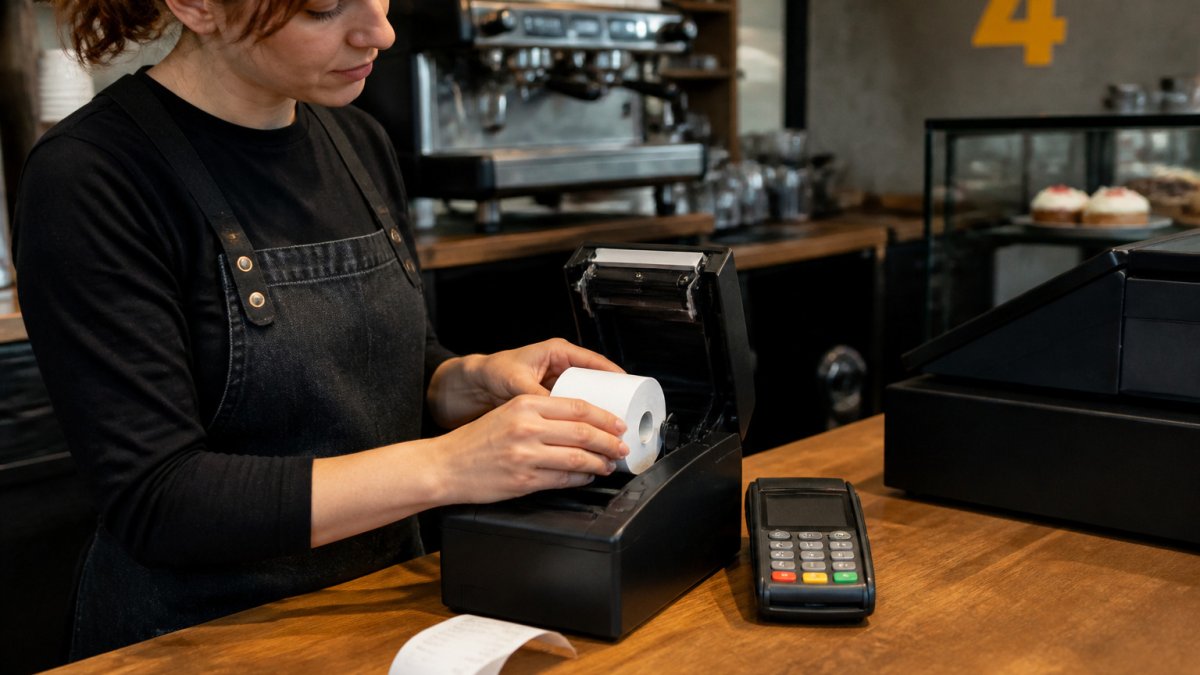
Printhead wear is the bigger concern. Some low-grade coatings leave residue on the printhead, which over time reduces print clarity and can shorten the life of the head. Paper dust can also build up in the mechanism and cause feed problems.
Jams are the most visible problem. A roll with uneven edges, a poorly wound spool or an incorrect core size can feed badly and stop the printer mid-transaction. In a busy café, this costs time and goodwill, which can outweigh the saving on the roll.
Watch out: if prints start to fade or the printer begins to jam after you switch rolls, stop using the new stock and test the old roll side by side before you continue.
How Long Thermal Paper Receipts Last and Fading Risks
Thermal receipts are not built for long-term storage. Heat, light, humidity and contact with certain plastics or adhesives can all cause fading. Receipts kept in a warm till drawer or pinned to a sunny wall may become unreadable within weeks.
Generic rolls are not necessarily worse on this point, but coating quality varies. Where receipts must be kept for accounts or returns, store copies in a cool, dry place, or consider a copy method that does not rely on thermal paper.
Running a Simple Test and Working Out Total Cost Before You Switch
Before you move your whole shop to generic rolls, run a short trial and then work out the total cost rather than the price per roll alone. This is the step most buyers skip, and it is where a cheap roll can turn out to be the expensive choice.
Run a simple quality test
Load a sample roll and print a day's worth of receipts. Check them for:
- Print darkness: Compare against your current roll under the same light. Faint print is hard to read and can fail barcode scans.
- Smudging: Rub a receipt with a thumb or a coin. Thermal print should not smudge easily under normal handling.
- Fading: Leave a receipt in a warm spot and another in daylight for a few days. Note how quickly each fades.
- Barcode readability: Scan a few receipts with the same scanner your staff use at the till.
- Jams and feed: Count any jams or misfeeds over the trial period.
- Printhead residue: After a week, inspect the printhead for dark residue or paper dust. Clean it according to the printer manual and note how much build-up there was.
Keep the old roll on hand so you can switch back if needed.
Work out the total cost
Price per roll is only the starting point. To compare fairly, calculate cost per receipt or per metre of usable paper:
- Usable length: Check the roll's stated length in metres. A roll with a larger diameter usually holds more paper, but confirm the figure rather than assuming.
- Cost per metre: Divide the roll price by the usable length. This lets you compare rolls of different sizes on the same basis.
- Cost per receipt: Estimate the average receipt length in your business, then divide the cost per metre by the number of receipts per metre. This is the figure that matters at the till.
- Replacement frequency: How often do staff change rolls, including downtime when the printer stops?
- Maintenance: Any printhead cleaning or repairs caused by poor-quality paper.
- Staff time: Minutes lost to jams and reloading.
Check current prices on the Shop4Rolls.ie website before you decide. For most shops, the answer to whether generic receipt paper is good for POS printers comes down to testing one roll properly, then buying in volume only once it has proved reliable.
Use this quick reference to compare the checks and cost steps covered in the trial and cost guidance.
| Check | What to look for | Why it matters |
|---|---|---|
| Print darkness | Compare with current roll under same light | Faint print is hard to read and can fail barcode scans |
| Smudging | Rub a receipt with thumb or coin | Thermal print should not smudge under normal handling |
| Fading | Leave receipts in warm spot and daylight for days | Shows how quickly prints degrade |
| Barcode readability | Scan receipts with the till scanner | Confirms receipts work in daily use |
| Jams and feed | Count misfeeds over the trial | Jams cost time and goodwill at the till |
| Printhead residue | Inspect after a week | Build-up reduces print clarity and head life |
Frequently Asked Questions
Can I use generic thermal paper in a POS printer?
In most cases, yes, provided the roll matches your printer's required width and core size and is thermal paper coated for direct thermal printing. Check your printer's manual for the roll width and maximum diameter.
Does receipt paper need to be a specific size for a POS printer?
Yes. POS printers take a fixed roll width. Roll diameter and core size also matter, because a roll that is too large will not fit the compartment. Your printer's manual lists the supported sizes.
What is the difference between thermal and bond receipt paper?
Thermal paper is coated so that heat from the printhead darkens it, so it needs no ink or ribbon. Bond paper is plain paper used with impact or ink-based printers and needs a ribbon or cartridge.